Skip to content

Veronica Lauren

How Rewriting AIs Are Changing the Way Software Understands Tone
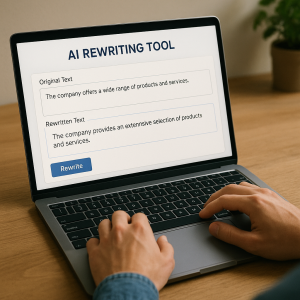
For years, writing software mainly focused on grammar. It helped catch typos, clean up clunky sentences, and polish punctuation. Tools like Grammarly and Microsoft Word’s spellcheck were helpful, but limited. They could tell you what was wrong, not how it felt. Tone—how a message sounds to a reader—was mostly ignored.

But tone is everything. In emails, blog posts, customer support chats, and social media, tone can be the difference between sounding helpful or harsh, confident or condescending, warm or robotic. And now, thanks to the development of a human-style rewriting assistant, tone is finally getting the attention it deserves.

The Shift From Correction to Communication

Traditional grammar tools are reactive. They fix errors after the fact. Rewriting AIs, powered by large language models (LLMs) like GPT-4 and Claude, are proactive. They don’t just correct; they rewrite. And they do it with style.

Instead of just flagging a sentence like, “You missed the deadline again,” a rewriting AI might offer:

  • “Just a reminder—we’re past the deadline.”
  • “Let me know if you need help getting back on track.”
  • “The deadline has passed—let’s figure out next steps.”

Each version says roughly the same thing. However, the tone shifts dramatically—from accusatory to supportive to neutral. That kind of nuance used to require a human. Now, AI is learning to do it in real time.

Why Tone Matters More Than Ever

Businesses are paying closer attention to tone because their customers are. A poorly worded email can lead to confusion or offense. A flat marketing message might be ignored. And internal communication—between teammates, departments, or leadership—can break down if the tone feels off.

Rewriting AIs helps organizations achieve a consistent tone. Whether it’s crafting support emails that sound empathetic or transforming technical instructions into something more user-friendly, tone-aware AI is becoming a silent editor behind the scenes.

And it’s not just about soft skills. Getting tone right boosts metrics: higher response rates, better customer satisfaction, fewer escalations. That’s why rewriting tools are being built directly into products like Notion, Slack, and Gmail.

How It Works: The Role of Context and Style

Unlike earlier tools that operated on fixed rules, rewriting AIs are trained on massive datasets of human writing. They’ve seen professional emails, friendly texts, customer service scripts, and social media posts. This gives them a sense of what sounds natural—and what doesn’t—in different contexts.

The magic is in the prompt. Ask an AI to make something “sound more professional,” “friendlier,” or “less aggressive,” and it will adjust sentence structure, word choice, and phrasing accordingly. Some tools even let you set a company-wide tone, like “clear and concise” or “warm and encouraging,” and apply it across teams.

The result is writing that adapts not just to what you’re saying, but how you want to say it, and to whom.

The Challenges: Consistency, Bias, and Control

Of course, tone isn’t one-size-fits-all. What sounds warm to one person might feel patronizing to another. And since AIs learn from public data, they can absorb patterns of bias or inconsistency from the real world.

There’s also the risk of overcorrection. If everything starts sounding overly polished, you lose authenticity. That’s why many companies use AI as a first draft or editing assistant, not a final voice. Human oversight still matters.

Some tools are working to address this with tone preview features, adjustable “formality” sliders, and more transparent customization options. The goal is to keep the human in control while letting AI handle the heavy lifting.

The Future: Writing Tools That Listen

What’s coming next is even more personalized tone adaptation. Imagine an AI that rewrites your message based not just on general tone, but on the personality of the person you’re writing to. A casual tone for your coworker, a diplomatic one for your boss, a warm one for a customer you’ve spoken to before.

Or tools that flag tone mismatches in real time: “This sentence might come across as dismissive—want to rephrase?”

Eventually, writing tools may feel less like editors and more like collaborators. They won’t just fix your writing; they’ll help you connect.

Conclusion: A Better Way to Be Understood

We’ve entered a new phase of writing technology—one that goes beyond surface-level correctness. Rewriting AIs are helping people sound more human, more thoughtful, and more intentional. They’re making software not just smarter, but more sensitive.

Tone used to be the most challenging part of writing to get right. Now, it might be the easiest. And in a world full of words, that could make all the difference.

Windows 11 Compatibility: What Software Runs Best on the New OS?

If you’ve recently upgraded to Windows 11 or are planning to, you might be wondering what software runs best on the new operating system. Windows 11 brings a fresh look, some cool new features, and a focus on performance, but with all the changes, it’s understandable to question how your favorite programs will work on this shiny new OS.

In this article, we’ll dive into what types of software are most compatible with Windows 11 and what you need to consider before making the jump.

First, let’s talk about the basics. The core apps most people use—browsers, office suites, media players, and the like—are fully supported on Windows 11 preis. If you’re already using something like Google Chrome, Microsoft Edge, or Mozilla Firefox, you won’t notice much difference after upgrading. These browsers are optimized for Windows 11, meaning you’ll still get all the speed and features you rely on.

When it comes to office suites, Microsoft Office (Word, Excel, PowerPoint, etc.) has been working flawlessly on Windows 11. If you’re an Office 365 subscriber, you’re likely already enjoying the perks of cloud syncing and other features that Windows 11 fully supports. Plus, the new OS offers enhanced support for touchscreens, so if you’re using a 2-in-1 device or tablet, you’ll get a great experience.

For media players like VLC or Spotify, there’s good news as well. Both have been optimized for Windows 11, so you won’t face any playback or installation issues. In fact, with the sleek new design of Windows 11, apps like these look even better, taking full advantage of the updated UI.

Creative Software

If you’re into graphic design, video editing, or any kind of creative work, you’ll be pleased to know that Windows 11 works well with popular software like Adobe Creative Cloud, Autodesk products, and more.

Adobe Photoshop, Illustrator, Premiere Pro, and After Effects are all running great on Windows 11. The new OS doesn’t just handle these programs; it actually improves performance by offering support for DirectStorage, which speeds up load times and enhances the overall experience, especially for those working with large files or video rendering.

Similarly, Autodesk AutoCAD and Revit perform smoothly on Windows 11, which is great news for architects, engineers, and designers. If you rely on CAD software for your work, you can expect faster performance and improved stability with Windows 11’s updated drivers and support for modern hardware.

Gaming Software

Windows 11 is a huge win for gamers. If gaming is a big part of your software needs, the new OS offers several new features that make it a much better platform for playing the latest titles.

For starters, Windows 11 includes Auto HDR and DirectStorage, which are game-changers for anyone who loves high-quality graphics and faster load times. Auto HDR enhances the color and contrast of games that weren’t previously designed for HDR displays, while DirectStorage reduces load times by allowing games to load assets directly from the SSD, cutting down the need for CPU intervention.

If you’re using Xbox Game Pass or Steam, you’ll find that these services work just as they did on Windows 10, but with the added benefits of the performance upgrades Windows 11 brings. Plus, Windows 11 integrates nicely with the Xbox app, making it easy to download, manage, and play your games.

Business and Productivity Tools

For those using business software, like project management tools, accounting software, or enterprise applications, Windows 11 doesn’t disappoint. Programs like Slack, Microsoft Teams, Zoom, and Trello all work well on the new OS. The improved multitasking features of Windows 11, such as Snap Layouts and Snap Groups, are particularly handy for productivity apps, making it easier to work across multiple windows at once.

Accounting software like QuickBooks, TurboTax, and Xero should also run without any hiccups. However, if you’re using older legacy software that isn’t regularly updated, it’s worth checking compatibility before you upgrade. Some older programs may need updates or patches to run smoothly on Windows 11, especially if they rely on older frameworks or drivers.

Software to Be Cautious About

While most popular software runs smoothly on Windows 11, there are some programs and older versions of apps that might not perform as well. For example, legacy applications that were designed for Windows 7 or Windows 8 may encounter issues. If you rely on older business-specific software, it’s a good idea to check with the software provider for any compatibility patches or recommendations before upgrading to Windows 11.

Additionally, some antivirus software may take a little longer to fully integrate with Windows 11’s security features. Most major antivirus vendors, like Norton, McAfee, and Bitdefender, have updated their products for Windows 11, but if you’re using a less common solution, make sure it’s compatible.

Is It Worth Upgrading?

If you’re using up-to-date software for your daily tasks—whether it’s browsing the web, working on documents, creating content, or gaming—Windows 11 will likely be a smooth upgrade. The new OS is optimized for modern hardware and delivers improvements in security, performance, and user experience.

However, if your software setup involves older applications or you’re using niche software that isn’t updated frequently, it might be worth waiting a bit longer before making the switch. You can always test your software in a virtual machine or on a separate device before committing to the full upgrade.

The Legal Side of Domain Names: Trademarks and Disputes

Getting a domain name is key for any business wanting an online presence, but it can involve legal issues, especially with trademarks and disputes. Knowing the legal aspects of domain names helps you avoid conflicts and protect your brand. This article covers trademark laws, common disputes, and what to do if your desired domain is already trademarked.

A trademark is a sign, symbol, word, or phrase that distinguishes the goods or services of one business from those of another. In the context of domain names, trademarks can play a significant role in determining whether you can legally use a particular domain.

When find your domain name that is similar to an existing trademark, you risk infringing on the trademark owner’s rights. Trademark infringement occurs when a domain name is confusingly similar to a registered trademark, potentially leading to consumer confusion regarding the source of goods or services.


The Importance of Trademark Registration

Trademark registration provides legal protection for your brand. Once registered, you gain exclusive rights to use that trademark in connection with the goods or services specified in the registration. This protection is essential, as it helps prevent others from using similar marks that could cause confusion in the marketplace.

The registration process includes conducting a trademark search to ensure that the desired trademark is available and not already in use. It’s advisable to conduct this search before choosing a domain name to avoid potential legal issues.

Common Legal Conflicts with Domain Names

Several common disputes can arise when it comes to domain names and trademarks:

  • Cybersquatting: This occurs when someone registers a domain name with the intent to sell it at a higher price to the trademark owner. The Anticybersquatting Consumer Protection Act (ACPA) in the U.S. provides legal recourse for trademark owners against cybersquatters.
  • Trademark Dilution: This involves the use of a similar domain name that lessens the distinctiveness of a famous trademark. For example, if someone registers “CocaColaShop.com” to sell unrelated products, this could dilute the Coca-Cola brand.
  • Domain Name Disputes: When two parties claim rights to the same domain name, disputes can arise. Many such conflicts are resolved through the Uniform Domain-Name Dispute-Resolution Policy (UDRP), which provides a framework for resolving domain name disputes in a cost-effective manner.

How to Avoid Legal Conflicts

To navigate the legal landscape surrounding domain names, consider the following tips:

Conduct a Trademark Search

Before registering a domain name, conduct a thorough trademark search to identify any existing trademarks that may conflict with your desired name. You can search the USPTO’s Trademark Electronic Search System (TESS) or use various online trademark databases. This step is crucial for avoiding potential legal disputes down the road.

Choose a Unique Domain Name

Opt for a domain name that is distinctive and not closely resembling existing trademarks. A unique name is less likely to lead to confusion and potential legal issues. Consider using creative or invented words rather than generic terms that could infringe on existing marks.

Consider Using a Trademark Attorney

If you’re unsure about the legal implications of your chosen domain name, consult with a trademark attorney. They can provide guidance on trademark searches, registration processes, and potential legal conflicts. This proactive approach can save you time and money in the long run.


What to Do If Your Desired Domain Is Already Trademarked

If you discover that your desired domain name is already trademarked, here are some steps to consider:

Evaluate Alternative Names

Consider modifying your domain name to avoid conflict. This could involve adding words, changing the structure, or using a different extension (e.g., .net or .co instead of .com). Ensure that your new choice does not infringe on existing trademarks.

Seek Permission

In some cases, it may be possible to seek permission from the trademark owner to use a similar domain name. This could involve negotiating a licensing agreement, which allows you to use the name legally. However, this approach may not always be feasible, especially if the trademark owner is protective of their brand.

Focus on Brand Development

If you can’t secure your desired domain, consider focusing on building a strong brand identity around an alternative domain name. A well-established brand can stand out even with a different domain name. Invest in marketing efforts to create recognition and loyalty, regardless of the domain.

Consider Buying the Domain

If the trademarked domain is currently in use but you believe it aligns closely with your brand, you might consider reaching out to the current owner to inquire about purchasing it. However, be prepared to negotiate, as they may demand a high price for it.

Understanding the legal aspects of domain names is crucial for any business establishing an online presence. Familiarize yourself with trademark laws, perform thorough searches, and avoid conflicts. If your desired domain name is trademarked, explore alternatives or consult legal professionals. These steps will help you minimize legal disputes and create a strong online identity for your business.

𐌢